 By Lauren Holland
Updated November 2026
A backpacking gear list in Excel lets you track every item, its weight and where it goes in your pack, all in one place. In this guide you will set up a simple spreadsheet, add formulas that total your base weight automatically, and build a separate tab for each trip. The whole setup takes about an hour and you can reuse it for every trip after that.
Set Up Your Spreadsheet Columns
Start with a blank workbook and create six columns across the top row. Keeping the structure consistent makes totals and comparisons easy later.
- Category (shelter, sleep system, cook kit, clothing, electronics, etc.)
- Item (be specific, such as “2-person tent with stakes” rather than “tent”)
- Qty
- Weight (oz) entered per unit, taken from the manufacturer spec or a kitchen scale
- Total (oz) with a formula
- Worn or Consumable flag, so you can separate base weight from food and fuel
Use ounces for the item weights. Ounces are easier to add up than pounds with decimals, and you can convert to pounds at the end.
Add Formulas for Totals and Base Weight
In the Total column, enter a formula such as =C2*D2 and copy it down the rows. This multiplies quantity by unit weight. Next, add a summary block at the top or on a separate tab with these calculations:
- Base weight: =SUMIF(F:F,”No”,E:E), which sums everything not flagged as consumable or worn. Adjust the criteria to match how you label your flag column.
- Worn weight: =SUMIF(F:F,”Worn”,E:E), so you know what you carry on your body.
- Consumables: =SUMIF(F:F,”Consumable”,E:E), covering food, fuel and water.
- Total pack weight: add the three values above together.
Convert ounces to pounds with =E2/16 when you need a figure for a trip report or a comparison with other lists.
Build a Separate Tab for Each Trip
Copy the workbook structure into a new tab for every trip you plan. A two-night lowland hike and a five-night alpine route need different clothing and food, so separate tabs prevent you from overwriting one list with another. Rename each tab with the trip name and date. Keep one master tab with the items you own permanently, then pull those rows into each trip tab with a simple cell reference. When you upgrade a tent, you update it once and every trip tab reflects the change.
If you already have a list written elsewhere, it may help to compare it against established templates. The Backpacking Gear List Spreadsheet: A Step-by-Step Guide covers similar column layouts, and the Basic Backpacking Gear List: The Essentials for Your First Trip can help you check that nothing essential is missing.
Plan Your Gear by Trip Type
Trip length and climate change what belongs in each tab. The table below shows a rough starting point for how many base weight ounces different trip types often target, based on common published lists. Treat these as targets to test, not rules.
| Trip type | Typical base weight target | Key adjustments |
|---|---|---|
| Weekend summer trip | Under 20 lb | Lighter sleep system, fewer layers |
| Multi-day shoulder season | 20 to 25 lb | Add insulated layer and rain gear |
| Winter trip | 25 lb or more | Warmer bag, extra fuel, safety items |
For readers comparing styles, the Ultra Lightweight Backpacking Gear List: Base Weight Math for Every Trip explains how to set weight goals for each trip length.
Common Mistakes to Avoid
- Entering weights from memory instead of weighing items on a kitchen scale.
- Forgetting to include the pack itself, which can add two to four pounds.
- Mixing consumables into base weight, which makes the list look lighter than it is.
- Skipping the spare column, so you never notice that a repair kit or a second stove fuel canister is missing.
- Failing to update the master tab after a gear change, leaving trip tabs out of date.
Recommended gear
A digital kitchen scale is the most useful tool for filling in accurate weights. Look for one that reads in grams and ounces and has a tare function so you can zero out a bag or container.
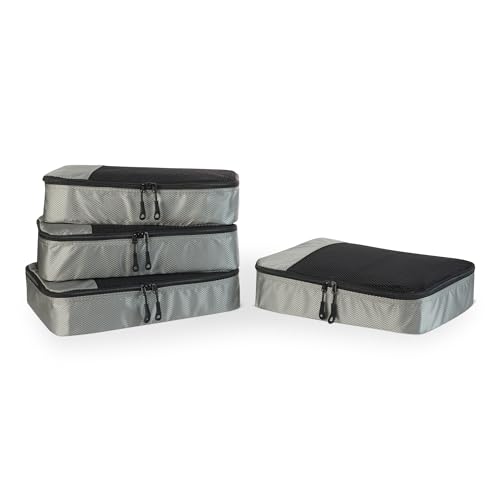
A dry bag or pack liner helps you keep a sorted gear inventory organized during packing, so the spreadsheet matches what actually goes in the pack.
FAQ
Do I need Excel, or will Google Sheets work?
Google Sheets works just as well. The formulas and tab structure are the same, and the file is free to use from any browser.
How often should I update my gear list?
Update it after every trip, noting anything you used too much or never touched. Over a season, these notes show where you can cut weight.
Should I include food in the spreadsheet?
Yes, but keep it in a separate consumable category. Food weight changes with trip length, so log it per day and multiply by the number of days.
Conclusion
A backpacking gear list in Excel gives you accurate totals, a clear base weight and a reusable template for every trip. Set up the columns, add the summary formulas and create a tab per trip. With a few updates after each outing, the spreadsheet becomes the most reliable part of your packing routine.
Related reading
- Women's Ultralight Backpacking Gear List: 12 Essentials by Trip Length
- Women's Backpacking Gear List: A Step-by-Step Guide to Packing Light
- UL Backpacking Gear List: Base Weight Math and Sample Lists by Trip
Ready to choose one?
About Lauren Holland
Lauren Holland is part of our editorial team and reviews and edits our backpacks & packing systems guides, checking product details against manufacturer specifications and owner feedback.