 By Lauren Holland
Updated November 2026
An ultralight backpacking gear list in Excel lets you track every item’s weight, sort your kit into base weight and consumables, and see your total load before you ever reach the trailhead. This guide walks through a simple spreadsheet setup, the formulas that do the math for you, and the common errors that throw off totals. By the end, you will have a working file you can reuse for every trip.
Set Up the Core Columns
Start with one sheet and a small set of columns. More columns make the file harder to update, so keep it lean. Use these headers in row 1:
Shopping for one? See our guide: 4 Best Ultralight Hiking Backpacks for Trail Days (2026).
- Category (shelter, sleep, cook, clothing, electronics, first aid, etc.)
- Item (name and model, so you can tell two similar pieces apart)
- Qty
- Weight (g) per unit, from your kitchen scale or the manufacturer’s listed weight
- Total (g) = Qty × Weight
- Type (Base, Worn, Consumable or Electronics)
- Packed? (Y/N, for checking the pack before you leave)
Keep weights in grams. Converting to ounces or pounds only matters at the summary level, and mixing units is the fastest way to get a wrong total.
Weigh Items Accurately and Record the Source
Manufacturer weights often differ from what you actually get on your scale, especially for stuff sacks, straps and packaging. Weigh each item with its real packaging removed, and record your own measurement. If you use a listed weight, add a note in a Notes column so you know which numbers are verified.
Weigh consumables, such as fuel, food and water, separately. They change daily, so they belong in their own rows and should not be mixed into base weight.
Add the Formulas That Do the Math
Once the columns are in place, add formulas so totals update automatically:
- In the Total column, enter =C2*D2 (Qty × Weight) and fill it down the sheet.
- To total base weight, use =SUMIF(F:F,”Base”,E:E), where F is the Type column and E is Total.
- To total worn items, change “Base” to “Worn”. Do the same for Consumable and Electronics.
- Add a summary block with Base Weight, Worn, Consumables and Total Pack Weight. Total Pack Weight is the sum of all four.
- Convert to pounds with =B20/453.6, where B20 is the gram total, if you prefer pounds.
Build a Trip-Specific Version
Copy the master sheet for each trip rather than editing the same file. A three-day trip needs a different food total than a ten-day one, and a shoulder-season trip may need a warmer sleep system. Naming tabs by trip (for example, “Olympics 3-Night”) keeps your archive clean.
If you are building from scratch, Backpacking Gear List Excel: A Step-by-Step Spreadsheet Guide covers a tab-by-tab template. For a base-weight target to aim for, UL Backpacking Gear List: Base Weight Math and Sample Lists by Trip shows how the numbers compare across trip lengths. If you want a starting checklist to paste in, Ultralight Backpacking Gear List Reddit: Build Yours Step by Step offers a practical outline.
Recommended gear
A digital kitchen scale that reads in one-gram increments is the single most useful tool for this job, because your totals are only as good as your weights. Owners often report that a scale with a tare function makes it easy to weigh items inside their stuff sacks.
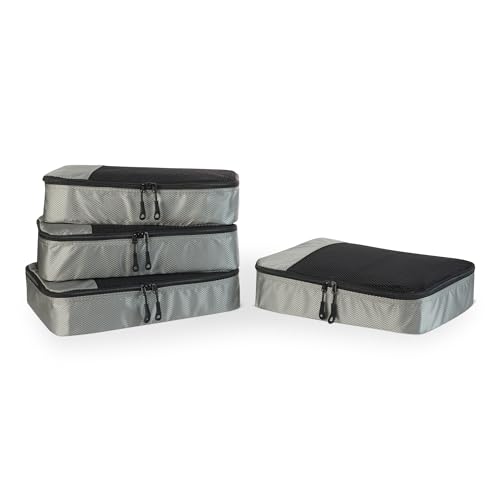
A small zippered pouch or tote for loose items keeps small pieces, such as stakes and cord, from being missed in the count. View on Amazon
A label maker or pre-printed packing tags help you match each physical bag to its row in the spreadsheet. View on Amazon
Common mistakes
- Mixing consumables into base weight, which makes your base number look worse or better than it is.
- Using listed manufacturer weights without checking them on your own scale.
- Forgetting to update the sheet after swapping an item, so totals drift from what you actually carry.
- Leaving out worn clothing and footwear, which can be a large share of total load.
- Editing one master file for every trip instead of copying it per trip.
FAQ
Do I need Excel, or will Google Sheets work?
Google Sheets uses the same formulas, including SUMIF, so either works. Choose whichever you can access from your phone on the trail or at home.
What is a good base weight target?
Base weight is the pack weight without food, water and fuel. Ultralight hikers often aim for a base weight in the low double-digit pounds, but your target depends on the terrain, season and comfort level.
Should I track clothing I wear?
Yes. Log it under Worn so your summary shows the full load you start with, while keeping it separate from your pack’s base weight.
Conclusion
A simple Excel file with clear columns, a Type field and a few SUMIF formulas gives you a reliable view of your load. Weigh everything yourself, keep consumables separate and copy the sheet for each trip. Update it after every gear change and it will stay accurate for seasons to come.
Related reading
- Women's Ultralight Backpacking Gear List: 12 Essentials by Trip Length
- Backpacking Ultralight Gear List: Build a Sub-10 Lb Kit Step by Step
- Women's Backpacking Gear List: A Step-by-Step Guide to Packing Light
- Ultra Lightweight Backpacking Gear List: Base Weight Math for Every Trip
Ready to choose one?
About Lauren Holland
Lauren Holland is part of our editorial team and reviews and edits our backpacks & packing systems guides, checking product details against manufacturer specifications and owner feedback.