 By Lauren Holland
Updated November 2026
A backpacking gear list spreadsheet template lets you record every item you carry, its weight and its category in one place, then total everything automatically. Once it is set up, you can copy it for each trip, swap items in and out, and see exactly how your base weight changes. This guide walks through the columns to use, the formulas that do the math, and the mistakes that throw off your totals.
Set Up the Columns You Actually Need
Keep the template simple. Too many columns make it tedious to update, and you will stop using it. Five columns cover most needs:
- Item: the specific product or generic name, such as “3-season quilt” or “stove and pot.”
- Category: Big Three (pack, shelter, sleep system), Kitchen, Clothing, Electronics, Hygiene and Repair, or Food and Water.
- Weight (oz): the measured weight, not the manufacturer number when you can weigh it yourself.
- Qty: how many you bring.
- Total (oz): a formula of Weight multiplied by Qty.
Add a “Worn or carried” flag if you want to separate base weight from clothing you wear on the trail. That single column makes your numbers far more useful later.
Add Formulas for Automatic Totals
The math should happen without you touching it. In the Total column, enter =Weight*Qty and fill it down. Then build a summary block at the top or on a second tab with these formulas:
- Base weight: =SUMIFS(Total, Worn, “No”)
- Worn weight: =SUMIFS(Total, Worn, “Yes”)
- Consumables (food and fuel): =SUMIFS(Total, Category, “Food and Water”)
- Total pack weight: =SUM(Total)
Convert ounces to pounds in a separate cell with =Total/16 so the summary reads in the units you think in. Formula names differ slightly between Excel and Google Sheets, but these functions exist in both.
Track Base Weight Across Trips
Base weight is everything in your pack except food, water and fuel. It is the number that tells you how light your setup really is, and it should stay stable as you add trip-specific items. Duplicate the template for each trip and compare the summaries side by side. You can see at a glance whether a weekend trip added clothing or a longer one added food.
Recording weights on a home scale is worth the time. Manufacturer specs often exclude stuff sacks, straps and included accessories, so your measured totals will run higher and more accurate.
A Quick Checklist for Your First Version
- Create the five columns and a Worn flag.
- Enter your Big Three items first, weighed on a kitchen or digital scale.
- Fill in kitchen, clothing and electronics, then food and fuel.
- Add the Total formula and fill it down the column.
- Build the summary block with base, worn, consumable and total weights.
- Save a copy for each trip and adjust only what changes.
Common Mistakes to Avoid
- Using manufacturer weights for everything. Weigh your items where possible.
- Forgetting to mark worn clothing, which inflates base weight.
- Leaving out stuff sacks, stakes and cords, which add up quickly.
- Mixing units. Pick ounces or grams and stick with one throughout.
- Typing totals by hand instead of using formulas, which leads to errors.
Recommended Gear
A reliable digital scale makes your numbers trustworthy. Look for one that reads in grams and ounces and has a tare function so you can weigh items inside a bag. View on Amazon
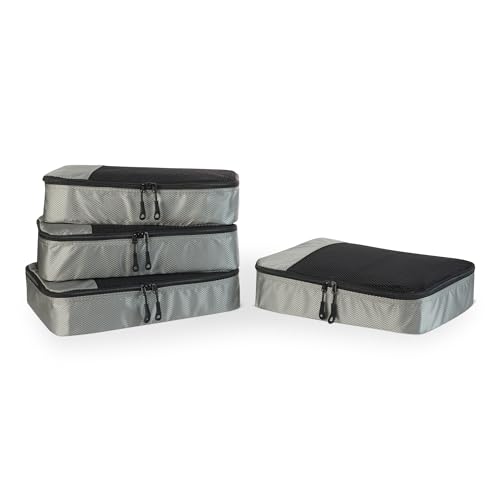
A small set of compression sacks helps you measure clothing and sleep gear accurately, since you can weigh each packed bundle separately. View on Amazon
FAQ
Do I need Excel or Google Sheets for a gear list?
Either works fine. Google Sheets is free, lets you access your list from any device, and supports the same SUMIFS formula used in this guide.
How is base weight different from total pack weight?
Base weight excludes consumables like food, water and fuel, and it usually excludes worn clothing too. Total pack weight includes everything you carry, so it changes with each trip.
How often should I update my template?
Update it after every trip, noting what you actually used and what sat untouched. Over time this trims your list and makes future packing faster.
Conclusion
A backpacking gear list spreadsheet template turns packing into a repeatable process with clear numbers behind it. Set up the columns, add the summary formulas, and weigh your gear rather than trusting spec sheets. Once it is working, you can reuse it for every trip. For more on structuring your list, see Backpacking Gear List Spreadsheet: A Step-by-Step Guide and Basic Backpacking Gear List: The Essentials for Your First Trip.
Related reading
- Women's Ultralight Backpacking Gear List: 12 Essentials by Trip Length
- Women's Backpacking Gear List: A Step-by-Step Guide to Packing Light
- Ultra Lightweight Backpacking Gear List: Base Weight Math for Every Trip
- UL Backpacking Gear List: Base Weight Math and Sample Lists by Trip
Ready to choose one?
About Lauren Holland
Lauren Holland is part of our editorial team and reviews and edits our backpacks & packing systems guides, checking product details against manufacturer specifications and owner feedback.